Yes. As of December 15, 2025, MetaMask supports Bitcoin natively. You can buy, send, receive, and swap BTC directly inside MetaMask without using wrapped tokens or external bridges. This was not always the case. For years MetaMask was an Ethereum-only wallet, and anyone who asked about Bitcoin support was told no. That changed when Consensys, the company behind MetaMask, launched native Bitcoin support as part of a broader push to make MetaMask a multichain wallet. This guide covers what that support includes, what it does not include, how it differs from WBTC, and how to use it.
Does MetaMask support Bitcoin?
MetaMask now supports native Bitcoin (BTC) on the Bitcoin network. When you update to the latest version of MetaMask, a Bitcoin address is automatically generated for your account. You can use that address to receive BTC from any exchange or wallet, or to buy BTC directly inside MetaMask using fiat payment methods including debit cards, credit cards, Apple Pay, PayPal, and bank transfers depending on your region.
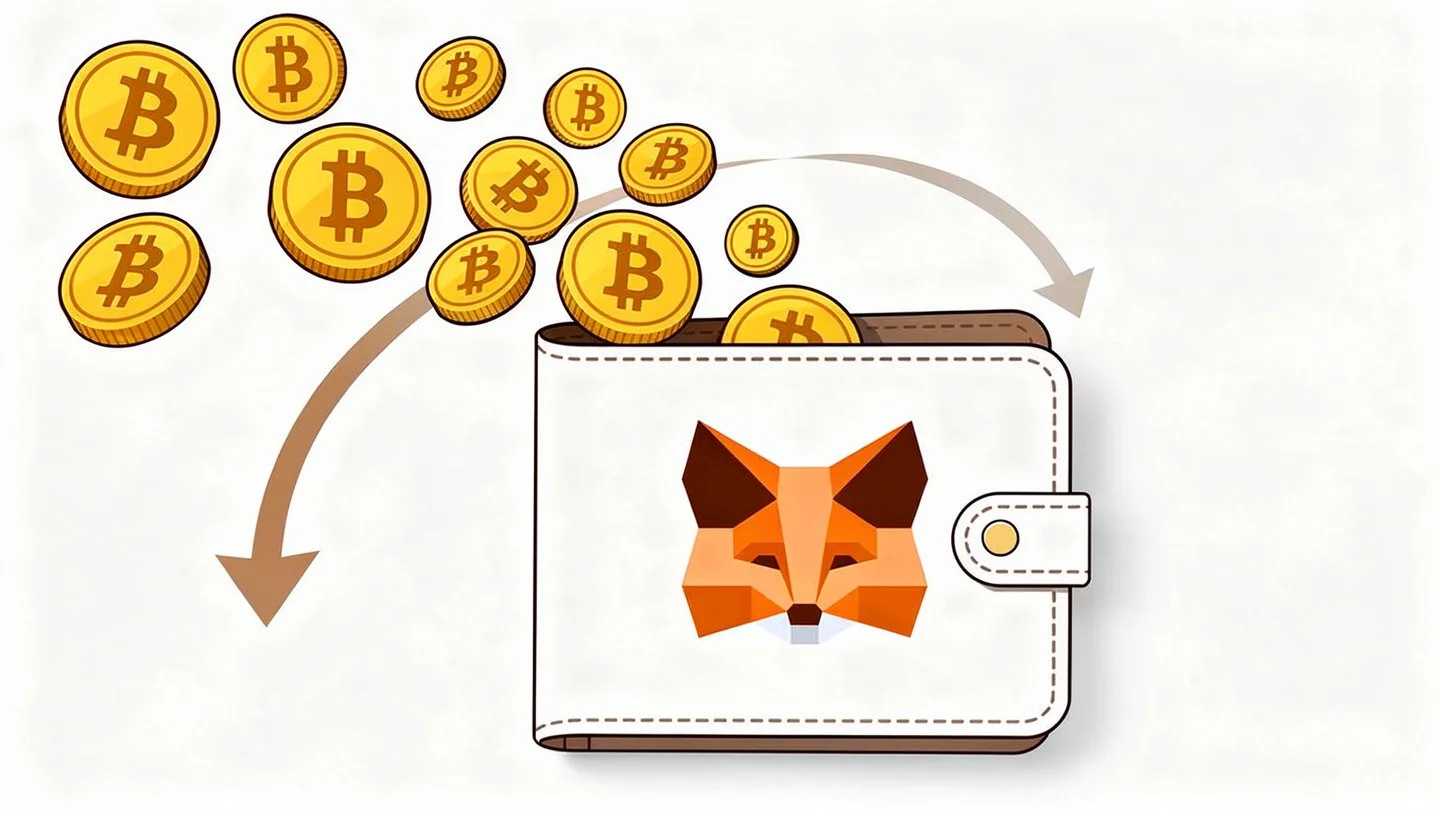
Before December 2025, the honest answer to this question was no. MetaMask was built for Ethereum and EVM-compatible networks. Bitcoin runs on a completely different blockchain with a different address format, different transaction logic, and no compatibility with Ethereum’s architecture. For years the only way to get Bitcoin exposure inside MetaMask was through a wrapped token called WBTC on the Ethereum network, or through an experimental plugin system called Snaps. Neither was the same as holding real BTC on the Bitcoin blockchain. The December 2025 update changed that.
What MetaMask Bitcoin support includes
The current MetaMask Bitcoin integration lets you do the following from within the same wallet you use for Ethereum and Solana:
- Buy BTC with fiat: purchase Bitcoin directly using a debit card, credit card, Apple Pay, PayPal, or bank transfer, depending on your country
- Receive BTC: your Bitcoin address is generated automatically and visible in your account alongside your Ethereum and Solana addresses
- Send BTC: send Bitcoin to any other Bitcoin address on the Native SegWit derivation path
- Swap to BTC: swap ETH, SOL, or other EVM tokens directly into Bitcoin using MetaMask’s built-in swap feature
- View your balance and transaction history: your BTC balance appears in your asset list alongside your other holdings
The one major limitation worth noting immediately: MetaMask currently supports only the Native SegWit address format for Bitcoin. Taproot address support is planned but had not been released at the time of writing. If you are importing a Bitcoin account from another wallet, it must also be Native SegWit to be compatible.
What is SegWit and why does it matter?
SegWit stands for Segregated Witness. It is a Bitcoin protocol upgrade that changed how transaction data is structured, making transactions smaller and cheaper. Native SegWit addresses start with the characters “bc1q” and are the most widely used format on the Bitcoin network today. They offer lower transaction fees than older address formats and are accepted by all major exchanges and wallets.
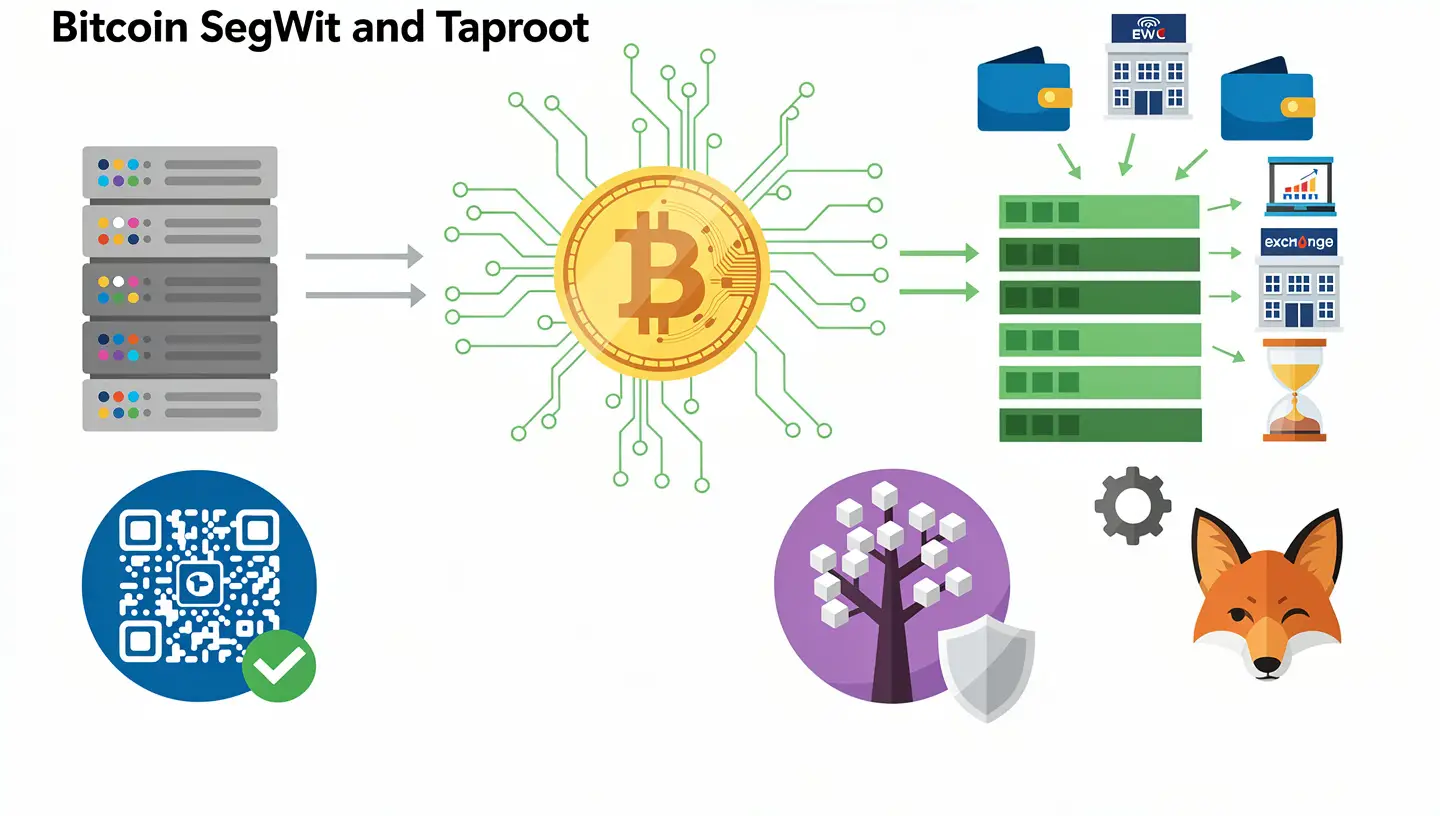
Taproot is a newer Bitcoin upgrade that adds privacy improvements and makes complex transactions cheaper. Taproot addresses start with “bc1p.” MetaMask has confirmed Taproot support is coming in a future update. For most everyday use, Native SegWit is sufficient and fully compatible with sending and receiving on platforms like Coinbase, Binance, and Kraken.
What is WBTC and how is it different from native BTC in MetaMask?
WBTC, or Wrapped Bitcoin, is an ERC-20 token that runs on the Ethereum network. It is designed to track the price of Bitcoin 1:1. You can still hold WBTC in MetaMask today, as you always could, because it is simply an Ethereum token. But WBTC is not Bitcoin. It is a synthetic representation of Bitcoin that requires a custodian to hold the real BTC on your behalf and issue the corresponding WBTC tokens on Ethereum. This introduces custodial risk, smart contract risk, and an additional layer of trust that holding real BTC does not require.
The December 2025 update gave MetaMask users access to actual Bitcoin on the Bitcoin blockchain. When you receive BTC in MetaMask now, that Bitcoin sits on the Bitcoin network secured by Bitcoin’s own proof-of-work consensus. No custodian, no smart contract, no Ethereum involved. The two things, WBTC on Ethereum and native BTC on Bitcoin, can coexist in MetaMask but they are separate assets on separate networks. For a fuller explanation of how blockchain networks work and why they are not interchangeable, that guide covers the mechanics from the ground up.
How to find your Bitcoin address in MetaMask
If you have updated MetaMask to the latest version, your Bitcoin address already exists. You do not need to create one or configure anything manually.
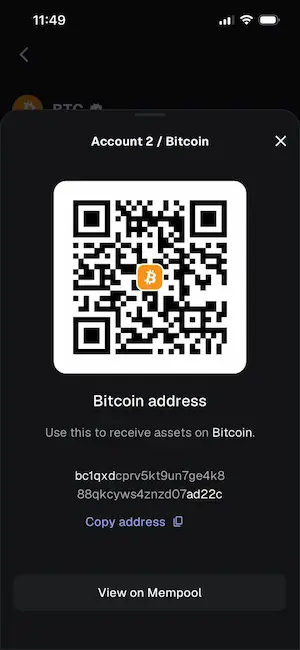
Here is how to find it:
- Open MetaMask on your browser extension or mobile app and make sure you are on the latest version
- Click the address dropdown under your account name, or tap the copy icon next to your account name on mobile
- Locate Bitcoin in the list of addresses
- Copy your Bitcoin address using the copy icon, or tap the QR icon to display the full address as a QR code
You can paste that address into Coinbase, Binance, or any other exchange to send BTC directly to your MetaMask wallet. You can also share it with anyone who wants to send you Bitcoin. One important note: you can only send and receive funds between addresses on the Native SegWit derivation path in MetaMask. Sending from a Taproot or legacy address to a SegWit address will work on the Bitcoin network, but MetaMask will not currently show those incoming funds from non-SegWit addresses.
How to buy Bitcoin in MetaMask
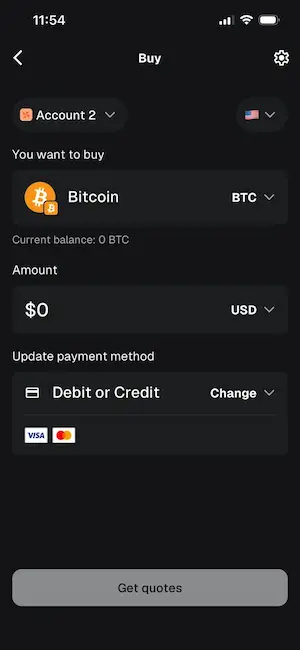
MetaMask allows you to buy Bitcoin directly with local currency through third-party payment providers. The process is straightforward:
- Tap the Buy button on your MetaMask home screen
- Select your region to see which payment methods are available where you are
- Choose a payment method: options include debit card, credit card, Apple Pay, PayPal, and ACH or SEPA bank transfer depending on your country
- Select Bitcoin as the asset and enter the amount you want to buy
- Choose the best quote from available providers and confirm the transaction
The BTC will appear in your asset list once the transaction is confirmed. Bitcoin transactions are slower than Ethereum or Solana because a new Bitcoin block is added roughly every ten minutes on average. You can monitor progress under the Activity tab in MetaMask. For context on what Bitcoin is and why its transaction speed works this way, that guide covers how the network is designed.
How to swap into Bitcoin in MetaMask
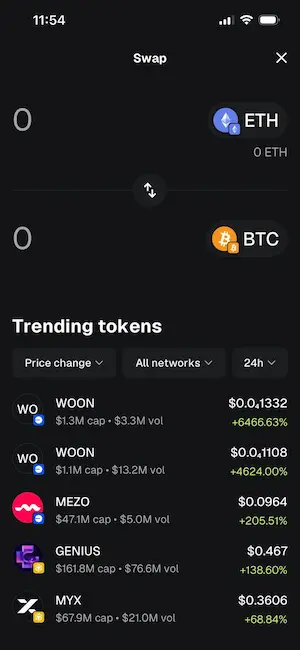
If you already hold ETH, SOL, or other tokens in MetaMask and want to convert some into Bitcoin, the built-in swap feature handles this directly:
- Click the Swap button on your MetaMask home screen
- Select the token you want to swap from and enter the amount
- Select Bitcoin as the destination network and BTC as the destination asset
- Review the details and confirm the transaction
MetaMask’s swap aggregator finds routes across multiple providers to get you a competitive rate. The swap combines bridging and swapping into one transaction. Once complete, the BTC appears in your asset list. As with any Bitcoin transaction, confirmation takes longer than on EVM networks.
How to import an existing Bitcoin wallet into MetaMask
If you already have a Bitcoin wallet elsewhere, such as Leather, Electrum, or a hardware wallet, you can import it into MetaMask using your Secret Recovery Phrase (SRP), also called a seed phrase. You cannot import via private key for Bitcoin accounts at this time.
The process: in MetaMask, click “Add wallet” in the account dropdown, select “Import a wallet,” and enter your 12 or 24-word SRP. MetaMask will restore your Bitcoin, Solana, and EVM addresses all at once under the same multichain account structure. The wallet you are importing must use the Native SegWit derivation path for the Bitcoin address to appear. How you store and protect that seed phrase matters as much as anything else about wallet security. For guidance on keeping it safe, the article on what a cold wallet is explains why most serious holders move significant amounts off software wallets entirely.
MetaMask vs dedicated Bitcoin wallets
MetaMask is convenient if you already use it for Ethereum and want to manage Bitcoin in the same place. But it is worth knowing what dedicated Bitcoin wallets offer that MetaMask does not, at least not yet.
| Feature | MetaMask | Dedicated Bitcoin wallet (e.g. Electrum, Ledger) |
|---|---|---|
| Native BTC support | Yes (from Dec 2025) | Yes |
| Address formats | Native SegWit only (Taproot coming) | Legacy, SegWit, Taproot, all supported |
| Import via private key | Not supported for BTC | Supported |
| Lightning Network | Not supported natively | Supported by some (e.g. Phoenix, Muun) |
| Ordinals / BRC-20 / Runes | Not supported natively | Supported by some (e.g. Xverse, Leather) |
| Hardware wallet integration | Ledger and Trezor for EVM; BTC hardware support limited | Full integration |
| Multi-chain (ETH, SOL, BTC) | Yes | Usually chain-specific |
If your primary use case is holding and sending Bitcoin, a dedicated Bitcoin wallet or hardware wallet gives you more address format options, full private key import support, and better integration with Bitcoin-specific features. MetaMask is the better choice if you want one interface for both Ethereum DeFi and Bitcoin in the same wallet. For an overview of hot and cold storage options and when each makes sense, the guide on what a hot wallet is explains the tradeoffs.
Is MetaMask safe for storing Bitcoin?
MetaMask is a non-custodial hot wallet. Non-custodial means you control your own private keys. MetaMask does not hold your funds or have any way to access them. That is the good part. Hot wallet means the software runs on an internet-connected device, which introduces risk compared to a hardware wallet stored offline.
The most important security practices for MetaMask, whether you are holding Bitcoin, Ethereum, or anything else, are:
- Write down your Secret Recovery Phrase offline and store it somewhere physically secure. This is the only way to recover your wallet if your device is lost or broken
- Never share your SRP with anyone. MetaMask will never ask for it
- Download MetaMask only from the official website (metamask.io) or the official browser extension stores. Fake MetaMask extensions are one of the most common crypto scams
- Be careful with phishing links. Always verify the URL before connecting your wallet to any website
For larger amounts of Bitcoin that you plan to hold long-term, most experienced holders recommend moving funds off any software wallet onto a hardware device like a Ledger or Trezor. A hardware wallet stores your private keys offline and requires physical confirmation for every transaction. MetaMask itself integrates with Ledger and Trezor for EVM assets, though full hardware wallet integration for Bitcoin within MetaMask is still limited compared to dedicated Bitcoin hardware wallets.
Bitcoin in MetaMask: what is still missing
MetaMask’s Bitcoin support is real and functional, but it launched with a limited feature set. As of early 2026 the following are not yet available natively:
- Taproot addresses: only Native SegWit is currently supported. Taproot is planned
- Private key import: you can only import a Bitcoin account using a full Secret Recovery Phrase, not a standalone private key
- Lightning Network: fast, low-fee Bitcoin payments over the Lightning Network are not supported
- Ordinals, BRC-20 tokens, and Runes: Bitcoin-native digital assets built on Bitcoin’s inscription protocol are not supported in the main MetaMask interface
- Legacy Bitcoin addresses: older P2PKH addresses starting with “1” are not currently supported
MetaMask has indicated more Bitcoin functionality is on its roadmap for 2026. The Consensys job postings that preceded the Bitcoin launch mentioned the Lightning Network, Ordinals, Runes, BRC-20 tokens, and Bitcoin Layer 2 networks like Stacks and Rootstock as areas of planned development.
Frequently asked questions about MetaMask and Bitcoin
Does MetaMask support Bitcoin?
Yes. MetaMask added native Bitcoin support on December 15, 2025. You can now buy, send, receive, and swap BTC directly in MetaMask without wrapped tokens or external bridges. Earlier versions of MetaMask did not support Bitcoin. Any guide or article saying MetaMask does not support Bitcoin is out of date.
Can I send Bitcoin directly to my MetaMask address?
Yes. Update MetaMask to the latest version and your Bitcoin address will appear automatically in your account’s address list. Copy it and paste it into any exchange or wallet to receive BTC directly. The address starts with “bc1q” and uses the Native SegWit format. Do not send BTC to your Ethereum address in MetaMask. They are different addresses on different blockchains.
What is the difference between BTC and WBTC in MetaMask?
BTC is real Bitcoin on the Bitcoin blockchain. WBTC is Wrapped Bitcoin, an ERC-20 token on the Ethereum network that tracks the price of Bitcoin 1:1. WBTC requires a custodian to hold real BTC and issue corresponding tokens on Ethereum. Native BTC in MetaMask sits directly on the Bitcoin blockchain with no custodian involved. Both can coexist in MetaMask, but they are separate assets on separate networks and are not interchangeable without a swap.
Is it safe to store Bitcoin in MetaMask?
MetaMask is a non-custodial hot wallet, meaning you control your own keys and MetaMask has no access to your funds. It is safe for everyday use with smaller amounts. For large long-term holdings, a hardware wallet is a more secure option because it stores private keys offline. The most important security step is protecting your Secret Recovery Phrase: write it down offline and never share it with anyone.
Does MetaMask support Taproot Bitcoin addresses?
Not yet. As of early 2026, MetaMask supports only Native SegWit addresses for Bitcoin. Taproot support is on the roadmap and MetaMask has confirmed it is coming in a future update. Native SegWit addresses (starting with “bc1q”) are accepted by all major exchanges and work for the vast majority of Bitcoin transactions.
Can I import my existing Bitcoin wallet into MetaMask?
Yes, but only using your 12 or 24-word Secret Recovery Phrase, not via private key. Import via private key is not yet supported for Bitcoin accounts in MetaMask. When you import using your SRP, MetaMask restores your Bitcoin, Solana, and EVM addresses together under the same multichain account. The wallet you are importing from must use the Native SegWit derivation path.
Does MetaMask support the Lightning Network?
No, not natively. The Lightning Network is a Bitcoin Layer 2 payment system that enables fast, cheap transactions. MetaMask’s current Bitcoin support covers only the Bitcoin main chain. MetaMask has hinted that Lightning and other Bitcoin Layer 2 networks are areas of future development, but no release date has been confirmed.
Why are Bitcoin transactions slower in MetaMask than Ethereum transactions?
This is not a MetaMask limitation. Bitcoin adds a new block approximately every ten minutes on average, which means each confirmation takes roughly ten minutes. Ethereum adds blocks every 12 seconds. When you send or receive BTC in MetaMask, the transaction is broadcast to the Bitcoin network and follows Bitcoin’s own confirmation process. You can monitor your transaction progress under the Activity tab.
What is the difference between MetaMask and a dedicated Bitcoin wallet?
MetaMask is a multichain wallet that supports Bitcoin, Ethereum, Solana, and other networks in one interface. Dedicated Bitcoin wallets like Electrum, Ledger, or Trezor offer more Bitcoin-specific features: full address format support including Taproot and legacy addresses, private key import, Lightning Network, and better integration with Bitcoin hardware wallets. If you primarily hold and use Bitcoin, a dedicated wallet gives you more control. If you want everything in one place, MetaMask now works for basic Bitcoin use.
What is a crypto wallet and why do I need one?
A crypto wallet stores the private keys that give you access to your cryptocurrency on the blockchain. Your coins do not sit inside the wallet itself. They live on the blockchain, and the wallet holds the proof of ownership. Without a wallet and its private keys, you cannot send or use your crypto. For a full explanation of how wallets work and the difference between hot and cold storage, the guide on what a hot wallet is covers the fundamentals.
Sources: MetaMask: Introducing Bitcoin on MetaMask | MetaMask Support: Getting started with Bitcoin