A cold wallet is a type of cryptocurrency wallet that stores private keys completely offline, disconnected from the internet. Because the keys never touch an online network, hackers cannot reach them remotely. That single fact is why cold wallets are considered the most secure way to hold Bitcoin and other digital assets for the long term.
Before going further, one thing is worth clearing up. Your cryptocurrency does not sit inside the wallet. It lives on the blockchain. What the wallet holds is the private key, the secret code that proves you own the funds at a given address and gives you the right to move them. Lose the key and you lose access to the crypto. Keep the key offline and no one online can take it from you.
What Is a Cold Wallet?
A cold wallet is any wallet that keeps private keys in an offline environment. That environment can be a purpose-built hardware device, a piece of paper with a printed key, a metal plate with an engraved seed phrase, or a computer that has never been connected to the internet. What all of these share is the same core property: the private key is never exposed to an online network.
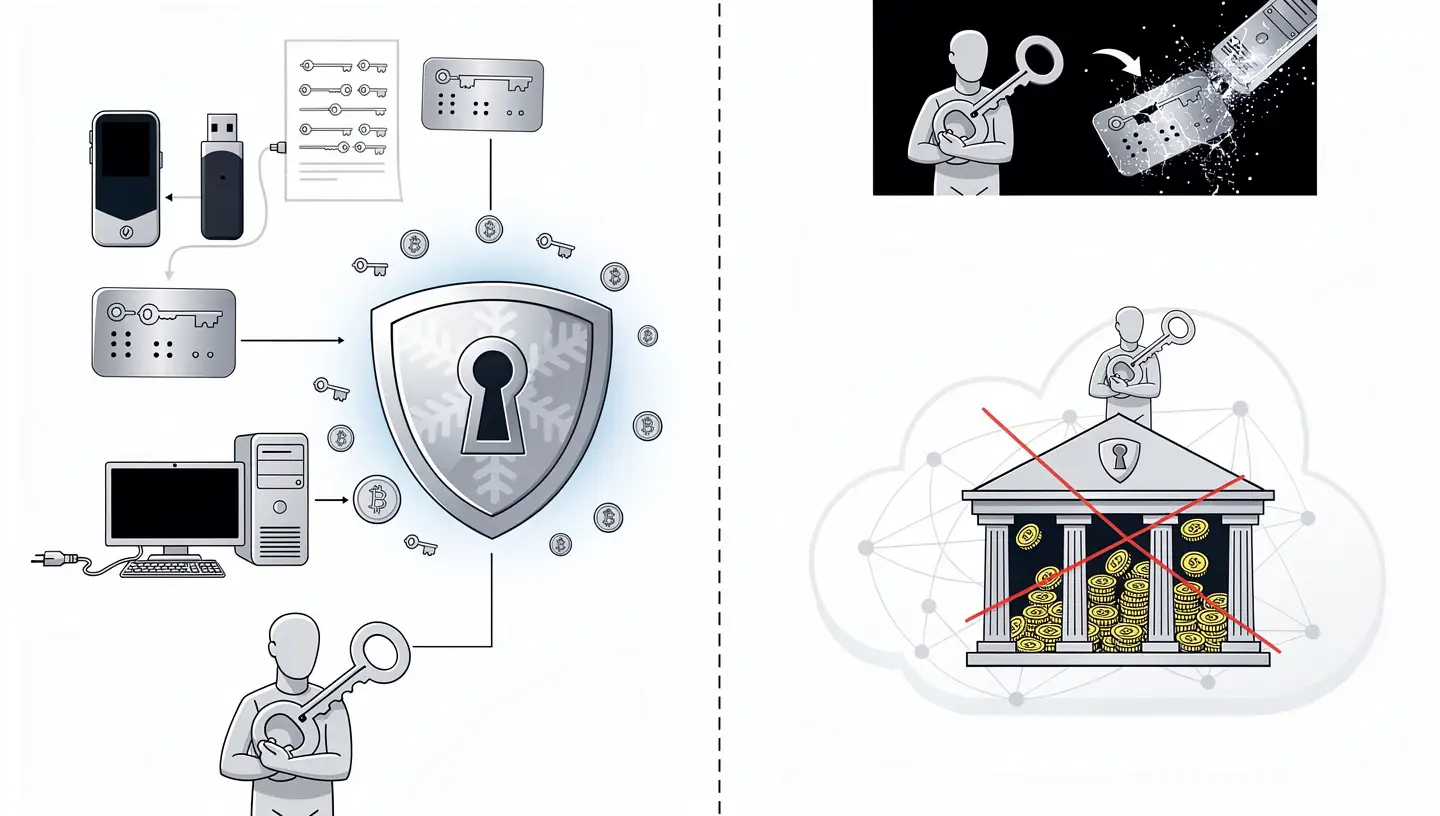
Cold wallets are non-custodial by nature. When you set one up, you are the only person holding the keys. There is no exchange, no bank, no third party standing between you and your funds. That is a meaningful difference from leaving crypto on an exchange, where the platform controls the keys on your behalf. As the phrase goes in the Bitcoin world: not your keys, not your coins.
Self-custody through a cold wallet comes with real responsibility. If you lose the device and also lose the seed phrase that backs it up, there is no recovery option. No customer support line can restore access. Total control in exchange for total responsibility is the defining feature of cold storage.
Cold Wallet vs Hardware Wallet: Is There a Difference?
The terms cold wallet and hardware wallet are often used interchangeably, but they are not the same thing. A hardware wallet is a physical device designed to store private keys offline. It is the most popular type of cold wallet, but it is one option among several.
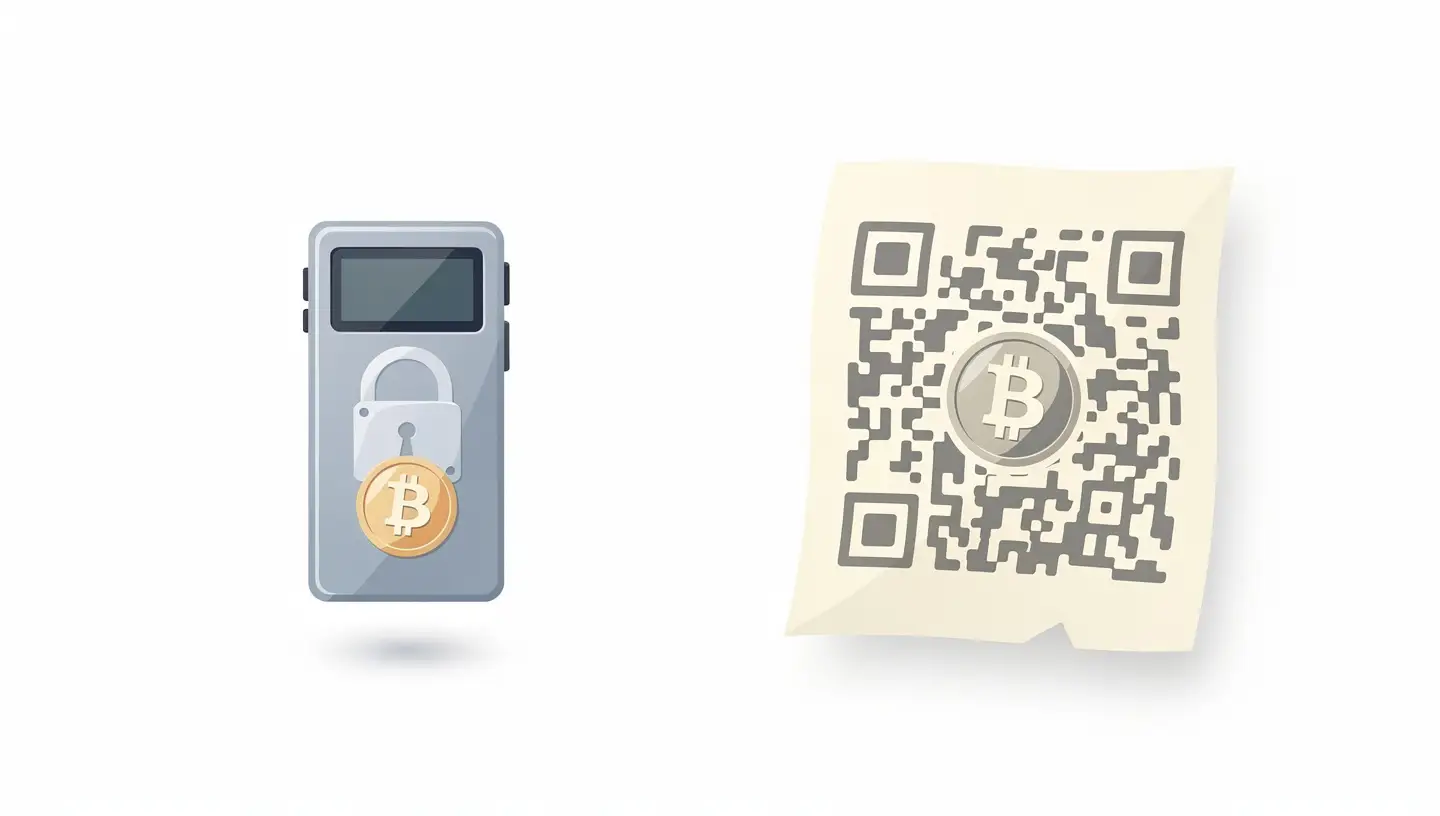
Not every hardware wallet qualifies as a cold wallet by the strictest definition. A true cold wallet does not connect to the internet and does not interact with smart contracts. It is used only for sending and receiving assets, with key generation and transaction signing happening entirely offline. A hardware wallet, on the other hand, can be used to interact with blockchain apps and services, which technically introduces some exposure.
For most people buying a Ledger or a Trezor and using it as directed, this distinction is largely academic. In everyday usage the two terms describe the same category of device.
How Does a Cold Wallet Work?
When you send Bitcoin or any other cryptocurrency, the wallet does not broadcast your private key to the network. It uses the key to produce a cryptographic signature, a piece of mathematical proof that says: the person who controls this address has authorised this transaction. The signature goes out to the network; the key stays hidden.
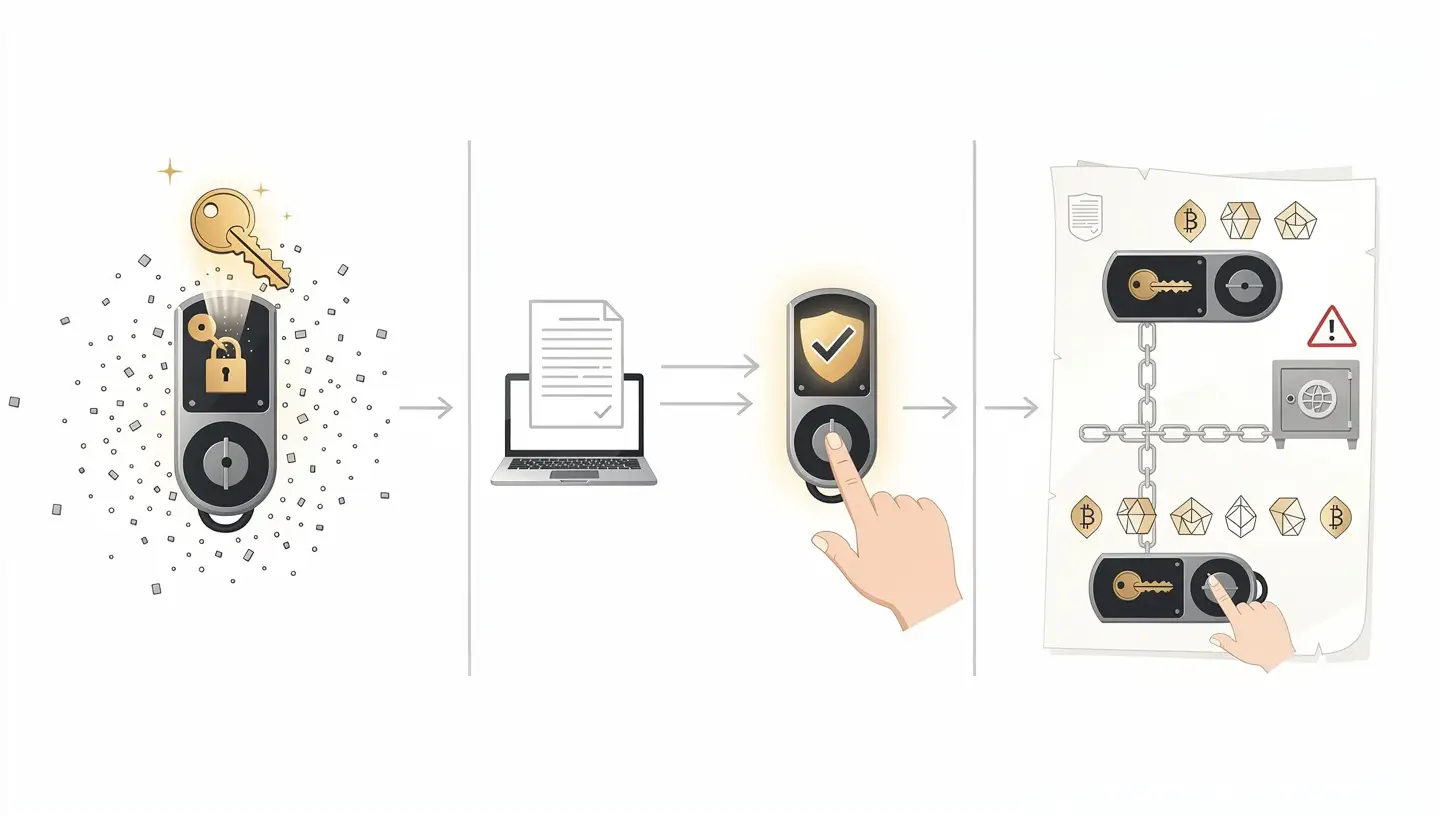
With a hot wallet, that signing process happens on a device connected to the internet. If malware is present, the key could be captured at that moment. With a cold wallet, signing happens offline. The signed transaction is then transferred to an online device, usually through USB, Bluetooth, or a QR code, and broadcast to the blockchain. The private key never touches the internet at any point in that process.
Private Key Generation
When you set up a hardware wallet, the device generates your private key internally using its own hardware random number generator. The key is created offline, inside the device, and never transmitted anywhere during setup. This is the first and most important layer of protection.
Transaction Signing
Every time you want to send crypto, the unsigned transaction travels to the hardware wallet. The device signs it using the stored private key and sends the signed transaction back to the companion app. The private key completes the signing process without leaving the secure environment of the device. Most hardware wallets require you to confirm the transaction by pressing a physical button on the device itself, which means a remote attacker cannot approve a transfer even if they have taken control of your computer.
The Role of the Seed Phrase
During setup, the hardware wallet generates a seed phrase, typically 12 or 24 words, which is a human-readable backup of the private key. Write these words down on paper and store that paper somewhere safe, away from the device. If the hardware wallet is lost, stolen, or broken, you can restore full access to your funds by entering the seed phrase into a new compatible device. The seed phrase is as valuable as the wallet itself. Anyone who finds it can access your crypto.
Types of Cold Wallets
Cold storage comes in several forms, each with different trade-offs between security, cost, and usability.
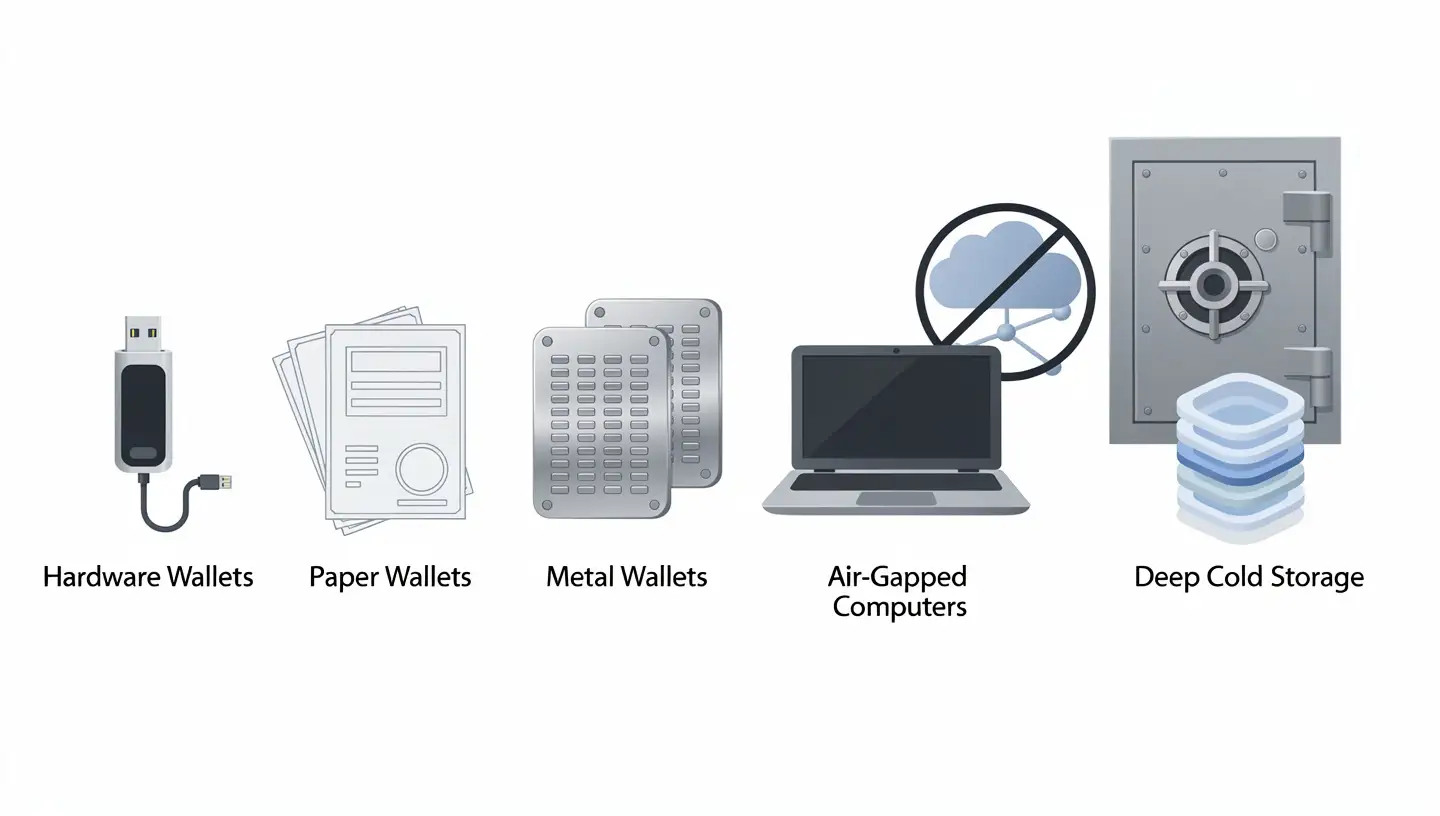
Hardware Wallets
Hardware wallets are the most widely used form of cold storage. They are small physical devices, often resembling a USB drive, built with a secure element, a tamper-resistant chip that protects the private key from both software and physical attacks. Most hardware wallets include a screen and physical buttons so you can verify and confirm transactions directly on the device, without relying on the connected computer.
Popular options include the Ledger Nano X, Ledger Nano S Plus, Trezor Model T, Trezor One, and Coldcard, which focuses exclusively on Bitcoin with full air-gapped operation. Prices generally range from around $50 to $200 depending on features.
Hardware wallets connect to a companion app on your phone or computer. The app handles the interface; the device handles the keys. The connection, whether USB, Bluetooth, or NFC, transmits only the signed transaction, never the private key itself.
Paper Wallets
A paper wallet is a printed document containing a public address and a private key, often in the form of a QR code. It is completely offline and costs nothing to produce. The risks are physical: fire, water, fading ink, and the chance of someone seeing or photographing it. To spend funds from a paper wallet, you typically import the private key into a software wallet, which briefly exposes it to an online environment. For that reason, paper wallets are generally considered outdated and most wallet generators no longer recommend them.
Metal Wallets
Metal wallets are a more durable version of the paper wallet concept. Instead of printing the seed phrase on paper, you engrave or stamp it onto a steel or titanium plate. This protects the backup from fire, water, and physical wear that would destroy paper over time. Metal wallets are typically used to back up the seed phrase generated by a hardware wallet, not as standalone storage devices. They add a meaningful layer of protection for long-term holders.
Air-Gapped Computers
An air-gapped computer is a machine that has never been connected to the internet and never will be. Wallet software runs on this machine, keys are generated and stored on it, and transactions are signed on it. Data moves in and out only through QR codes or USB drives. This approach offers exceptional security but requires significant technical knowledge to set up and use correctly. It is generally suited to advanced users or institutions managing large amounts of crypto.
Deep Cold Storage
Deep cold storage takes the concept a step further. It refers to keeping a cold wallet in conditions where even the owner cannot access it quickly, for example locked in a bank safety deposit box or a fireproof vault. This is typically used by people holding crypto they do not intend to touch for years, or holdings that will be passed on to others. The priority is maximum security over accessibility.
Cold Wallet vs Hot Wallet
The difference between a cold wallet and a hot wallet comes down to one thing: internet connection.
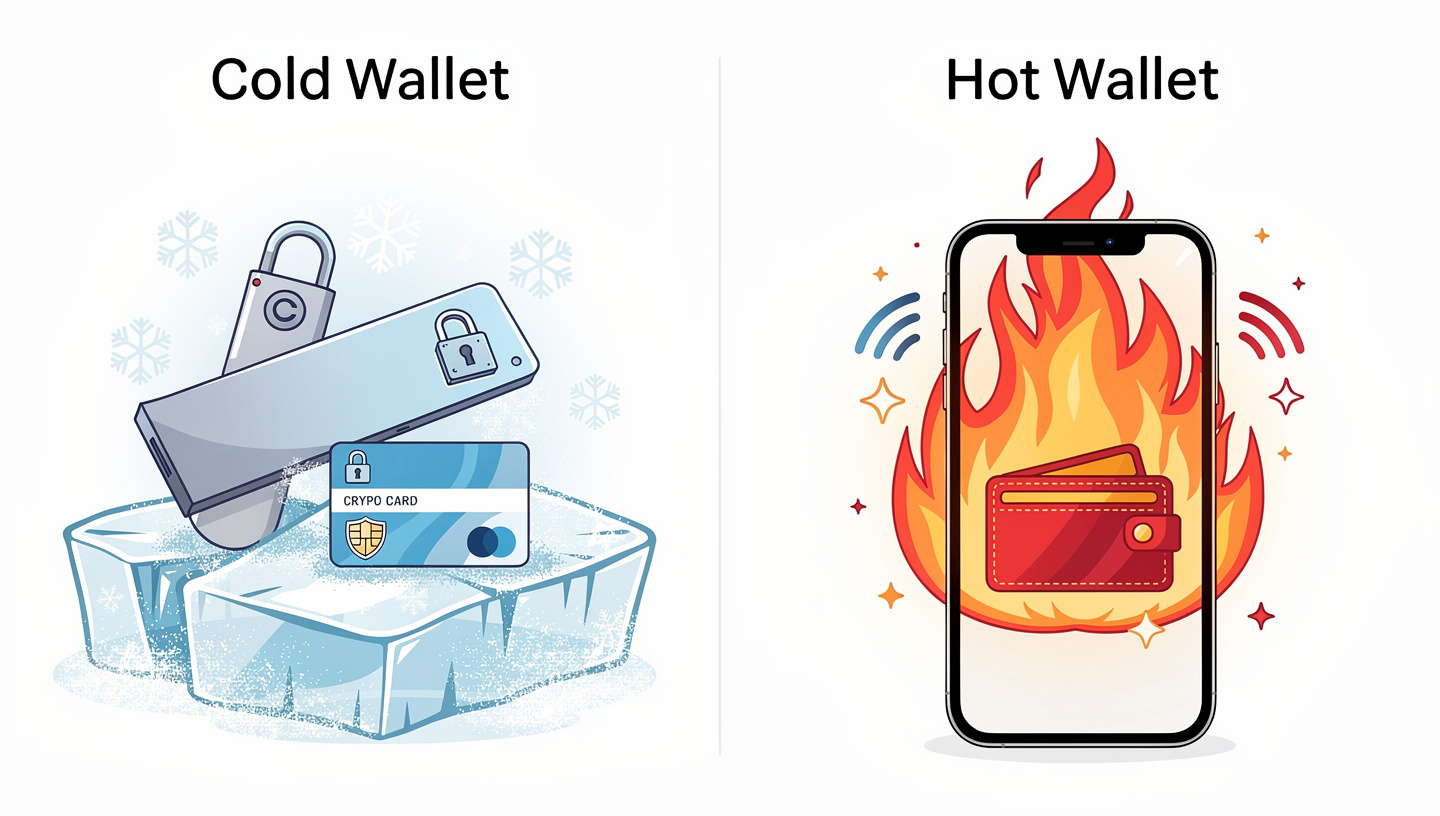
A hot wallet stores private keys on a device that is always connected to the internet, whether that is a browser extension like MetaMask, a mobile app, or a desktop application. Hot wallets are convenient for frequent transactions but carry a higher risk of theft through malware, phishing, and other online attacks.
| Feature | Cold Wallet | Hot Wallet |
|---|---|---|
| Internet connection | None (offline) | Always connected |
| Security level | Very high | Moderate |
| Convenience | Lower (extra steps to transact) | High (instant access) |
| Best for | Long-term storage of large amounts | Daily transactions, small amounts |
| Custody | Always non-custodial | Custodial or non-custodial |
| Cost | $50 to $200 for hardware | Usually free |
| Smart contract risk | None (true cold wallets avoid them) | Yes, a known attack surface |
Many experienced holders use both. A small amount of crypto stays in a hot wallet for day-to-day use, while the bulk of holdings sit in cold storage. This balances convenience with security rather than forcing a choice between them.
To understand more about how crypto transactions and wallets work at the technical level, that guide covers the full picture from blockchain to keys to transfers.
Cold Wallets and Smart Contract Risk
This is a distinction that catches many people off guard. A hardware wallet keeps your private keys offline, but if you use that same hardware wallet to sign smart contracts, you are still exposed to certain risks. Signing a malicious smart contract, whether from a fake DeFi app or a phishing site, can give an attacker permission to move assets from your wallet without ever seeing your private key.
A true cold wallet avoids this entirely by never interacting with smart contracts. It is used only to send and receive assets from known addresses. If you want to use DeFi or NFT platforms with a hardware wallet, a practical approach is to create a separate account on the same device for those interactions, and keep a dedicated account, your actual cold wallet, completely isolated from any smart contract activity. That way, even if you make a mistake on one account, the assets in the other remain safe.
Who Should Use a Cold Wallet?
A cold wallet makes sense for anyone holding an amount of crypto they cannot afford to lose. There is no fixed threshold, but a common rule of thumb is that once your holdings are worth more than the hardware wallet costs, the device has already paid for itself in protection.
- Long-term holders who buy and hold Bitcoin or other crypto for months or years without frequent trading.
- Larger holders with significant amounts sitting on an exchange who want to reduce platform risk.
- Privacy-focused users who prefer to control their own keys rather than trust a third party.
- Anyone who remembers FTX, the 2022 exchange collapse that wiped out billions in customer funds because users had no control over their own private keys.
- Anyone targeted by phishing, since cold wallets are immune to the remote attacks that routinely drain hot wallets.
Active traders who move in and out of positions daily may find cold storage impractical for their working funds, given the extra steps required to sign and broadcast transactions. For that use case, a hot wallet or exchange account with strong two-factor authentication is more practical.
If you are still getting to grips with what cryptocurrency is and how it works, that is a good starting point before setting up any wallet.
How To Set Up a Cold Wallet
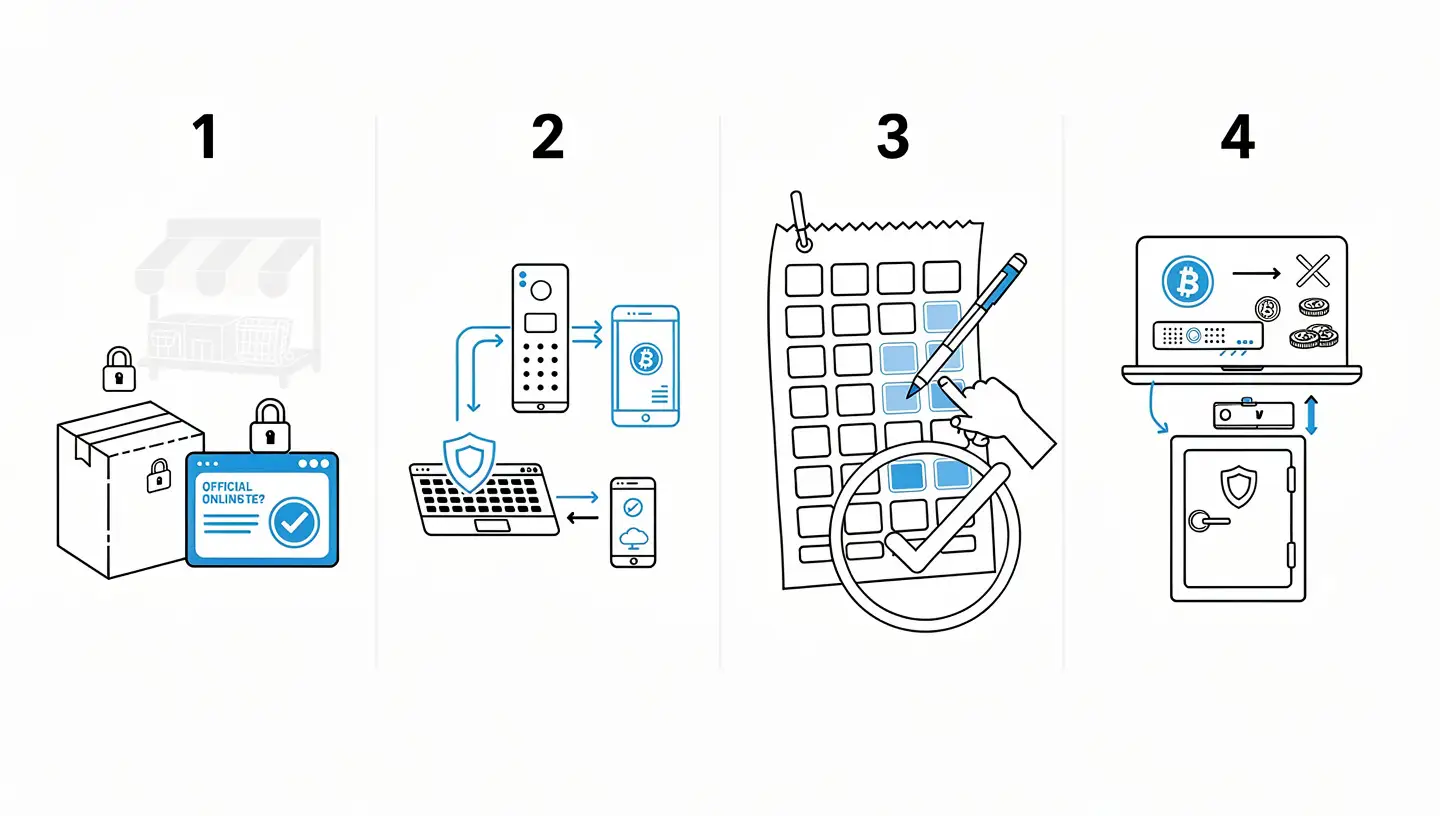
Setting up a hardware wallet takes around 15 to 30 minutes. The steps below apply to most major devices.
Step 1: Buy From an Official Source
Buy your hardware wallet directly from the manufacturer’s official website or from an authorised retailer. Never buy a second-hand hardware wallet or one from an unofficial marketplace. A pre-owned or tampered device could come with a compromised seed phrase already in place, giving the seller access to any funds you load onto it.
Step 2: Initialise the Device
Connect the device to your computer or phone using the supplied cable or companion app. Follow the on-screen instructions to create a PIN code. The PIN protects the device from physical access if someone else gets hold of it. Most hardware wallets wipe themselves after a set number of incorrect PIN attempts.
Step 3: Write Down Your Seed Phrase
The device will display a seed phrase, typically 24 words, one at a time. Write every word down in the exact order shown. Do not photograph the screen. Do not store the words in a notes app or email. Write them on paper, in order, and keep that paper somewhere secure. This is the most important step of the entire process.
Step 4: Verify the Seed Phrase
Most devices ask you to confirm several words from the seed phrase in the correct order. This check confirms you wrote them down accurately before you rely on the backup.
Step 5: Transfer Crypto to Your Cold Wallet
Open the companion app, navigate to your wallet, and generate a receiving address. Send a small test amount first to confirm everything is working before transferring larger holdings. Once the funds arrive, disconnect the device and store it safely.
How To Keep Your Cold Wallet Secure
Owning a hardware wallet is not enough on its own. How you manage it determines how much protection you actually have.
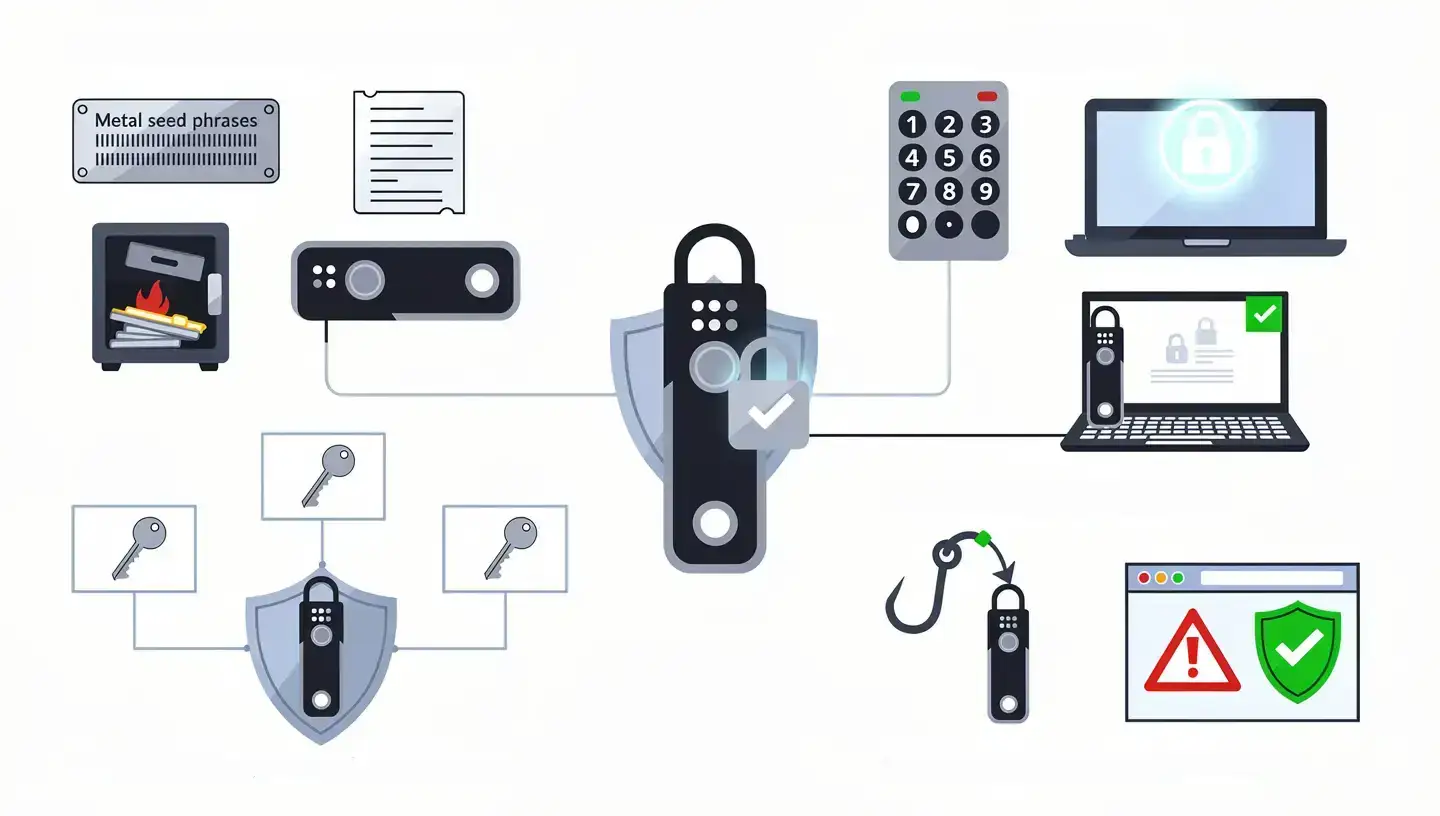
Store Your Seed Phrase Offline and Separately
Your seed phrase backup should be kept in a different physical location from the device itself. If both are in the same place and that location is compromised, everything is lost. Consider a fireproof safe, a safety deposit box, or a metal backup plate for the seed phrase itself.
Use a Strong PIN
Choose a PIN that is not obvious and that you do not use anywhere else. Most hardware wallets wipe themselves after a certain number of failed attempts, which limits the damage if the device is physically stolen.
Keep Firmware Updated
Hardware wallet manufacturers release firmware updates to fix security vulnerabilities and add support for new assets. Install updates through the official companion app only, not through links sent in emails or messages.
Consider a Multi-Signature Setup
A multi-sig wallet requires approval from more than one private key before a transaction can go through. For high-value holdings, this removes a single point of failure. An attacker would need to compromise multiple keys stored in different locations to move the funds.
Watch Out for Phishing
Hardware wallet users are regularly targeted by phishing attacks, typically emails or websites that look like official manufacturer communications. Download software only from official sources. Check web addresses carefully. No legitimate hardware wallet company will ever ask for your seed phrase.
Understanding how Bitcoin itself works gives useful context for why private key security matters so much in the first place.
Best Cold Wallets in 2026
The hardware wallet market has a handful of established names tested by millions of users over many years.
Ledger Nano X supports over 5,500 cryptocurrencies, connects via Bluetooth to mobile devices, and uses a certified secure element chip. It is one of the most versatile hardware wallets available and a strong choice for holders who want broad asset support.
Ledger Nano S Plus offers the same secure element protection as the Nano X at a lower price point, without Bluetooth. A solid option for holders who prefer USB-only connectivity and do not need mobile access.
Trezor Model T has a colour touchscreen, supports a wide range of coins, and runs fully open-source firmware, meaning the code can be audited by anyone. It does not use a dedicated secure element, which Trezor argues is offset by the open-source transparency of the hardware and software.
Trezor Safe 3 adds a secure element to a compact, budget-friendly device, addressing the main criticism of earlier Trezor models.
Coldcard is a Bitcoin-only wallet aimed at advanced users who want maximum security and fully air-gapped operation. It can sign transactions using a microSD card, with no USB connection to a computer required at any point.
Ellipal Titan is fully air-gapped and communicates only through QR codes, with no USB or Bluetooth ports at all. It is physically sealed to resist tampering.
For broader context on where Bitcoin fits among other assets, the comparison between Bitcoin and other cryptocurrencies covers the main differences worth knowing.
Cold Wallet: The Bottom Line
A cold wallet keeps your private keys offline, out of reach of anyone who might try to steal them through the internet. For anyone holding Bitcoin or other crypto as a long-term investment, it is the most reliable way to maintain full control over what you own. The hardware wallet is the most practical form of cold storage for most people: affordable, straightforward to set up, and trusted by millions of holders worldwide.
Protect your seed phrase above everything else. The device can be replaced. The seed phrase cannot. Write it down, store it safely, and never share it with anyone.
If you want to understand what the BTC ticker represents and how Bitcoin is identified across exchanges and platforms, the guide on what BTC means in crypto covers that in full.
Frequently Asked Questions
What is a cold wallet in simple terms?
A cold wallet is a way of storing cryptocurrency private keys offline, on a device or medium that is never connected to the internet. Because the keys are offline, hackers cannot access them remotely. The most common type is a hardware wallet, a small physical device that stores your keys and signs transactions without exposing them to any online network.
Is a cold wallet the same as a hardware wallet?
Not exactly. A hardware wallet is the most popular type of cold wallet, but the category also includes paper wallets, metal backups, and air-gapped computers. The key difference is that a true cold wallet never interacts with smart contracts, while a hardware wallet can be used to connect to DeFi apps and other blockchain services.
What happens if I lose my cold wallet?
If you lose the physical device but still have your seed phrase, you can restore full access to your funds by entering the seed phrase into a new compatible hardware wallet. If you lose both the device and the seed phrase, access to the funds is permanently lost. There is no recovery option without the seed phrase.
Can a cold wallet be hacked?
A cold wallet that is properly set up and kept offline is not vulnerable to remote hacking because there is no internet connection to exploit. The main risks are physical: someone stealing the device, discovering the seed phrase, or tricking the owner into revealing the backup. A correctly secured cold wallet is considered highly resistant to attack.
How much does a cold wallet cost?
Hardware wallets generally cost between $50 and $200. Entry-level devices from Trezor and Ledger start at around $50 to $60. More advanced models with touchscreens, Bluetooth, or additional security features sit in the $100 to $200 range. Paper wallets cost nothing to create but are considered outdated and less reliable than hardware options.
Do I need a cold wallet for Bitcoin?
You do not need one, but it is strongly recommended for anyone holding a meaningful amount of Bitcoin for the long term. Keeping Bitcoin on an exchange means the exchange controls the private keys, not you. A cold wallet puts full control in your hands and removes the risk of a platform being hacked, going bankrupt, or freezing withdrawals.
What is a seed phrase and why does it matter?
A seed phrase is a sequence of 12 or 24 random words generated when you set up a hardware wallet. It is a human-readable backup of your private key. Anyone who has this phrase can restore your wallet on any compatible device and access all funds tied to it. Writing it down accurately and storing it securely, away from the device itself, is the single most important step when setting up cold storage.
What is deep cold storage?
Deep cold storage refers to keeping a cold wallet or seed phrase in conditions where access is deliberately difficult, such as locked in a bank safety deposit box or a fireproof vault. It is used by long-term holders who do not need regular access to their funds and want to prioritise maximum security over convenience.